PHP 8.2 End of Life (31 Dec 2026): What Site Owners Should Do
PHP 8.2 stops getting security fixes on 31 December 2026. How to check your version, what breaks when you upgrade, and a 5-step plan.
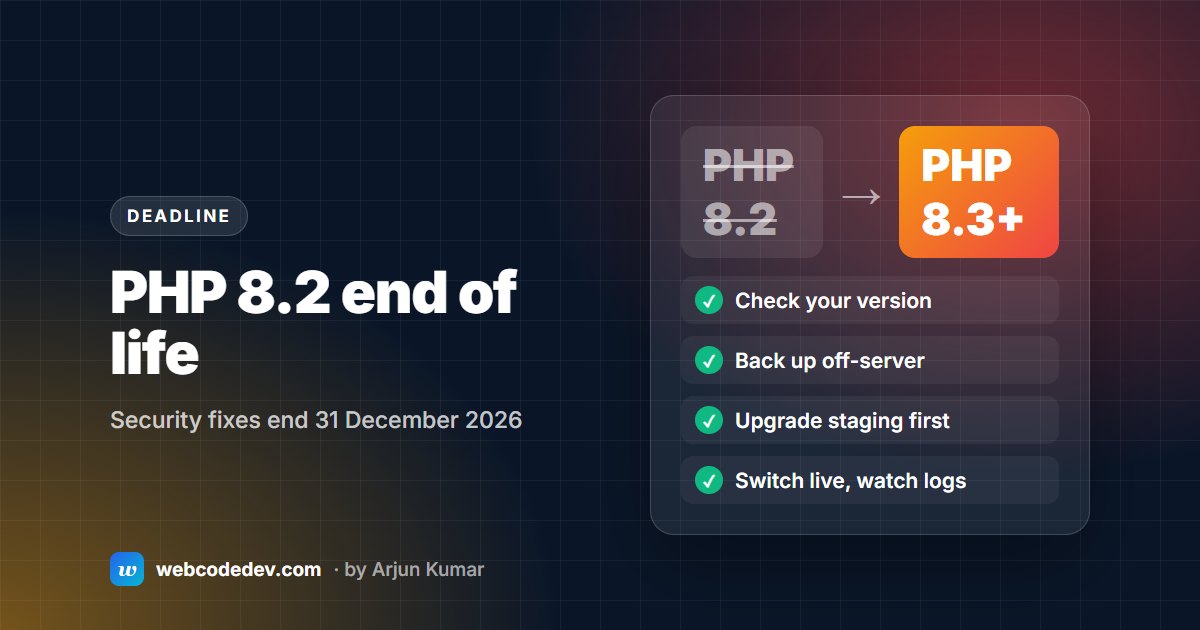
PHP 8.2 gets its last security fixes on 31 December 2026; PHP 8.1 and older already get none. Move to PHP 8.3 (supported to the end of 2027) or 8.4 (to the end of 2028): check your version, back up, upgrade a staging copy first, fix plugins, add-ons and custom code, then switch the live site.
PHP 8.2 gets its last security fixes on 31 December 2026. After that date, any flaw found in PHP 8.2 stays unfixed. It's not a small group: on WordPress alone, about 55% of sites run PHP 8.2 or older. This guide explains what changes, how to check your version, what tends to break when you upgrade, and a plan you can finish before the deadline.
What happens on 31 December 2026
Each PHP version gets two years of bug fixes, then two years of security fixes only, then nothing. These are the current dates from php.net:
| PHP version | Security fixes until | Status in November 2026 |
|---|---|---|
| 7.4 and older | Ended (7.4 on 28 Nov 2022) | End of life |
| 8.0 | Ended 26 Nov 2023 | End of life |
| 8.1 | Ended 31 Dec 2025 | End of life |
| 8.2 | 31 Dec 2026 | Security fixes only, ending |
| 8.3 | 31 Dec 2027 | Security fixes only |
| 8.4 | 31 Dec 2028 | Fully supported |
| 8.5 | 31 Dec 2029 | Fully supported |
Your site won't stop working on 1 January. Nothing switches off. But the next serious PHP flaw, like the two remote-code bugs patched in October 2026 (our write-up), won't be fixed for PHP 8.2. Many hosts also move old versions to paid "extended support" or switch sites to a newer version themselves, which is how sites break without warning.
How many sites are affected
WordPress.org's live statistics show which PHP versions WordPress sites report. On 10 November 2026:
- 22.6% of WordPress sites ran PHP 8.2, which loses support on 31 December.
- 32.2% ran PHP 8.1 or older, which is already unsupported. PHP 7.4 alone was 14.4%.
- About 45% ran PHP 8.3 or newer.
ExpressionEngine, CodeIgniter and custom PHP sites aren't counted there, so check those yourself.
How to check your PHP version
- WordPress: Tools → Site Health → Info → Server shows the PHP version.
- ExpressionEngine: the control panel's Utilities section has a PHP Info page that shows the version at the top.
- cPanel hosting:
MultiPHP ManagerorSelect PHP Versionshows the version each domain uses. - Command line:
php -v. The command-line version can differ from the one your website uses, so confirm in the control panel too.
What breaks when you upgrade
How much breaks depends on how far you're jumping.
From PHP 8.2 to 8.3: usually little. PHP 8.3 adds features and a handful of deprecations. Most well-maintained sites move without code changes, but test first.
From PHP 8.2 or 8.3 to 8.4: PHP 8.4 deprecates "implicitly nullable" parameters (function save(Order $order = null)), which old libraries use a lot. It also moves the IMAP, OCI8, PDO_OCI and Pspell extensions out of the core into PECL, so code that reads mailboxes over IMAP needs a plan.
From PHP 7.x: expect real work. PHP 8.0 removed functions such as create_function() and each(). PHP 8.1 deprecated passing null to many built-in functions. PHP 8.2 deprecated creating dynamic properties on objects. Old plugins, add-ons and frameworks hit all three.
Platform notes
- WordPress: recent WordPress versions run on PHP 8.3. Problems usually come from old plugins and themes, especially ones no longer updated. Replace abandoned plugins rather than patching them.
- ExpressionEngine: PHP 8.2 support arrived in EE 6.4.15 and EE 7.2.8, and EE7 fully supports PHP 8.3. EE5 and older don't support PHP 8.2 at all, so those sites need an EE upgrade, not just a PHP switch. EE6 itself also loses security support on 31 December 2026. See ExpressionEngine PHP 8 compatibility.
- CodeIgniter 3: the CodeIgniter project lists CI3 as in maintenance, receiving mostly security updates. CI3 apps lean on dynamic properties, so on PHP 8.2+ they often fill the logs with deprecation warnings. Plan a move to CodeIgniter 4 if the app has a long future.
- Custom PHP: run a static compatibility scan first. It finds most removed functions before you change anything on the server.
A 5-step plan before 31 December
- Check the version of every site you're responsible for, using the steps above.
- Back up files and the database, and keep the backup off the server.
- Make a staging copy and switch it to PHP 8.3 (or 8.4 if everything supports it).
- Fix and test. Update or replace plugins and add-ons, fix custom code, and click through forms, logins, checkout and search. Watch the PHP error log, not just the pages.
- Switch the live site in a quiet hour, with the backup ready and the error log open for the first day.
For a typical small site this takes a few days. A custom application or an EE5-or-older site takes longer, because the CMS or framework needs upgrading too.
Cost
If you'd like us to do it, our PHP 8 upgrade service starts at $450 for a typical website, done on a staging copy first. ExpressionEngine sites that also need an EE upgrade are quoted after a free audit; our upgrade cost guide shows typical ranges.
Frequently asked questions
Will my site stop working when PHP 8.2 reaches end of life?
No. Nothing switches off on 1 January 2027, but PHP 8.2 gets no more security fixes, and some hosts move old versions to paid extended support or upgrade them automatically.
Should I upgrade to PHP 8.3 or 8.4?
PHP 8.4 is supported longer (to the end of 2028), so choose it if all your plugins, add-ons and libraries support it. Otherwise PHP 8.3, supported to the end of 2027, is the safe step.
Is PHP 8.1 still supported?
No. PHP 8.1 reached end of life on 31 December 2025, so sites on 8.1 or older are already running without security fixes.
How long does a PHP upgrade take?
For a typical small site, a few days including testing on staging. Custom applications and sites that also need a CMS upgrade take longer.