PHP Security Alert (October 2026): What ExpressionEngine Site Owners Need to Do
CVE-2026-109618 and CVE-2026-109619 let attackers run code without logging in. The patched PHP versions, EE compatibility, and a checklist.
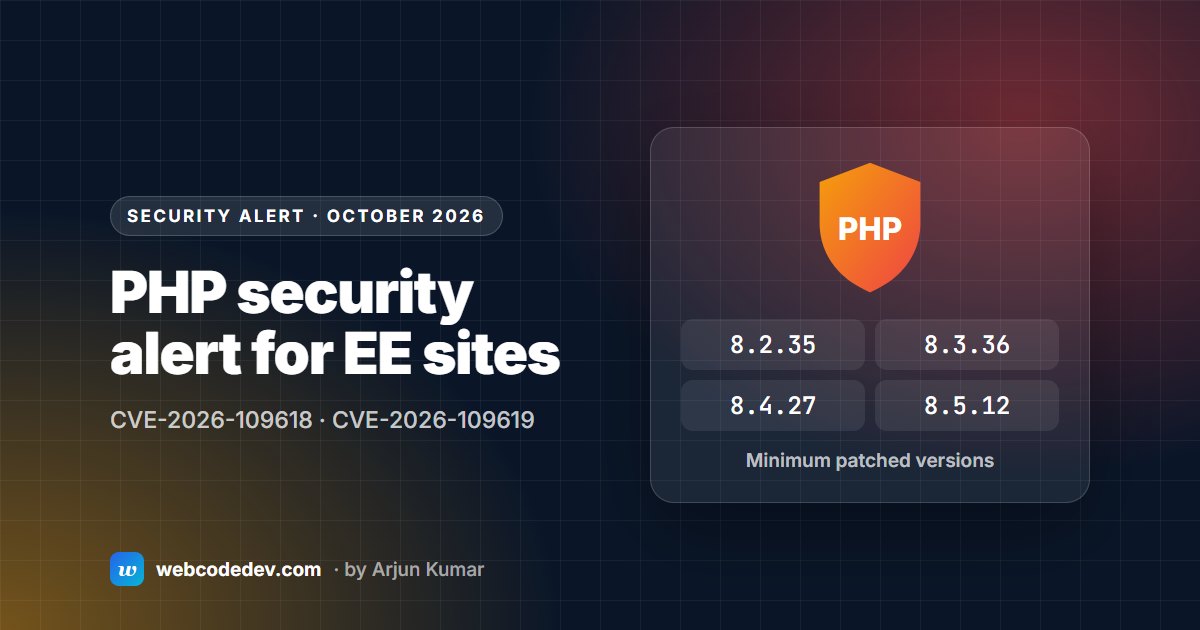
Ask your host to confirm your server runs at least PHP 8.2.35, 8.3.36, 8.4.27 or 8.5.12. Updating ExpressionEngine alone doesn't apply the fix. If you're on EE5 or older, you can't run a supported PHP branch at all, so plan an upgrade now.
On 21 October 2026 the PHP project released fixes for two critical vulnerabilities, CVE-2026-109618 and CVE-2026-109619. The ExpressionEngine team published an alert the same day: the flaws can let attackers run code on an affected server without logging in.
This is a PHP problem, not an ExpressionEngine bug. But it affects every EE site, and older EE versions make it harder to fix.
The patched PHP versions
Your server needs at least the release in its branch shown here, or a later one:
- PHP 8.2: 8.2.35
- PHP 8.3: 8.3.36
- PHP 8.4: 8.4.27
- PHP 8.5: 8.5.12
Being "on PHP 8.2 or newer" isn't enough on its own. A server on PHP 8.3.20 is still exposed. Some operating system vendors also backport fixes to older versions, so the version number alone doesn't always tell the full story. Ask your host to confirm the fix is installed.
Which ExpressionEngine versions can run patched PHP
- EE7: fine, if you're on 7.2.8 or later. That's where PHP 8.2 support arrived. Older 7.x releases should move to the latest EE7.
- EE6: PHP 8.2 support arrived in 6.4.15. Check your exact version. EE6 security support ends on 31 December 2026 anyway (see EE6 end of life).
- EE5 and older: retired, and they don't support PHP 8.2. Since 8.2 is now the oldest PHP branch the PHP project supports, these sites can't run a supported PHP version at all.
A checklist for this week
- Email your host today. Ask: "Is the patched PHP build for CVE-2026-109618 and CVE-2026-109619 installed and active on my server?" Include staging sites and subdomains.
- Check your EE version in the control panel footer against the list above.
- If you're on EE5 or older, or EE6 below 6.4.15, your host may not be able to patch PHP without breaking the site. Plan the upgrade now; our 7-step checklist covers how.
- Treat firewalls as a stopgap. A WAF such as Cloudflare, or PHP configuration changes, can reduce risk briefly. The EE team is clear that they don't replace the PHP update.
- Look for signs of compromise. New admin users, files you don't recognise in upload folders, or unexpected redirects. Patching doesn't undo a break-in that already happened.
Why this matters more for old EE sites
A patch like this is a five-minute job on a current site. Your host updates PHP and you're done. On an EE2–EE5 site, the same patch means a PHP branch the site can't run on. That's how a routine security update becomes an emergency upgrade, so it's worth fixing on your own schedule.
Frequently asked questions
Does updating ExpressionEngine fix these PHP vulnerabilities?
No. The flaws are in PHP itself. Only a patched PHP build on the server fixes them. Updating EE matters because old EE versions can't run the patched PHP branches.
My site runs EE5. What should I do?
EE5 doesn't support PHP 8.2, the oldest PHP branch still getting security fixes. The fix is to upgrade EE. The updater can take EE5 straight to the latest EE7. We can check your site for free and give you a fixed quote.