ExpressionEngine Upgrade Failed? 8 Common Errors and How to Fix Them
White screen, stuck updater, add-on fatal errors, MySQL strict mode: the ExpressionEngine upgrade errors we fix most, with the fix for each.
First, turn on debugging so you can see the real error. Most failed EE upgrades come down to an incompatible add-on, a leftover installer folder, file permissions, MySQL strict mode on old add-ons, or a browser timeout on a big database. Each one has a quick, safe fix below.
If an upgrade has just failed, first: don't panic and don't start re-uploading files. If you took a backup, nothing is lost. Work through these in order. They're the problems we see most when sites come to us mid-upgrade.
Before anything: see the real error
A blank page tells you nothing. On EE3 and newer, set $debug = 1; near the top of both index.php and admin.php, and in system/user/config/config.php add:
$config['debug'] = '2';Reload and you'll see the actual PHP error. Switch both back off once you're done, because visitors can see these messages too.
1. White screen after the update
Almost always a PHP fatal error from an add-on. The error message (after the step above) names the file, usually inside system/user/addons/<addon-name>/. Get a compatible version of that add-on. If none exists, move its folder out of addons/ temporarily so the control panel loads, then decide whether to replace or patch it.
2. A fatal error naming an add-on
Same cause, different symptom: the site loads but one template, field or control-panel page dies. Common ones are old field types (Matrix, Playa and other EE2-era fields) and add-ons that bundle their own libraries. Check the developer's site for an update first. If it's abandoned, native Grid, Relationships and Fluid fields cover most old field types, but the content has to be moved across with care.
3. The updater hangs or times out
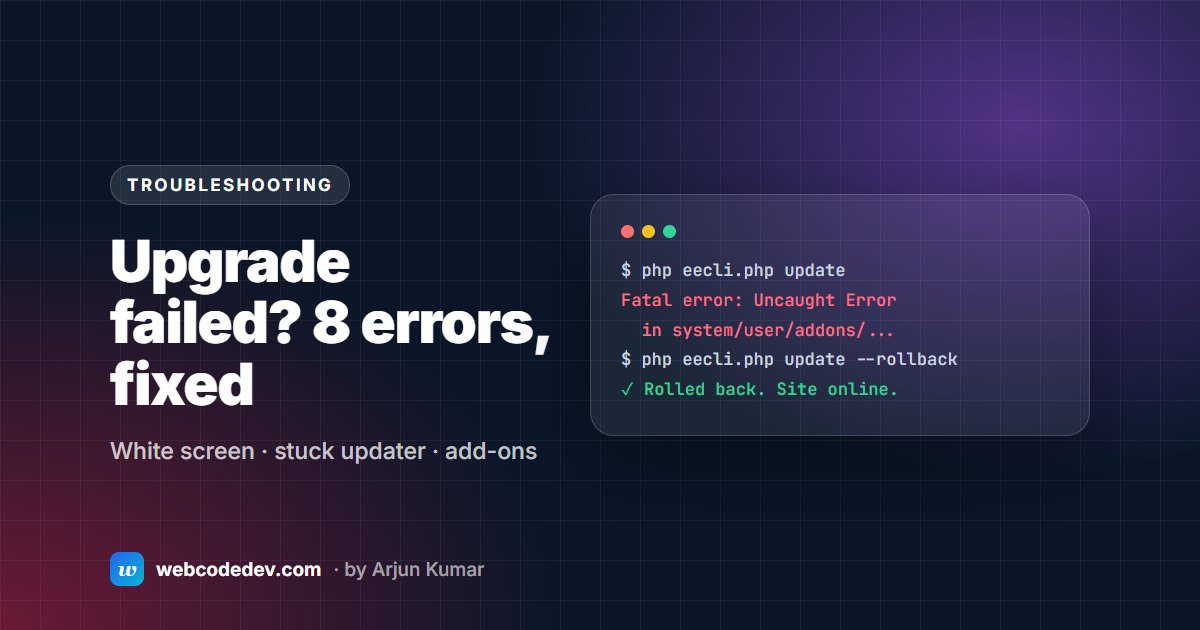
Large sites, especially ones with years of entries or revisions, can hit the browser or PHP time limit mid-update. Use the command line instead. From the system/ee folder:
php eecli.php updateIf an update has partly run, php eecli.php update --rollback undoes it. If you have no shell access, ask your host to raise max_execution_time for the duration of the update.
4. "The installer directory is still present"
After the update, EE expects system/ee/installer/ to be gone. If the updater couldn't remove it (usually a permissions issue), rename or delete it yourself.
5. Permission errors and "cannot write" messages
EE needs to write to system/user/cache/ and to system/user/config/config.php during the update, plus your upload folders. Folders usually need 755 and files 644, but some hosts need 775/664 depending on which user PHP runs as. Ask your host if you're unsure, and avoid 777.
6. MySQL errors on old sites ("Incorrect integer value", "ONLY_FULL_GROUP_BY")
MySQL 5.7 and later run in strict mode by default. EE2-era add-ons often insert empty strings into integer columns or use loose GROUP BY queries, which strict mode rejects. The right fix is to update or patch the add-on. As a short-term workaround, your host can relax sql_mode for that database.
7. "The configured cookie domain does not match the site URL"
Common on staging copies. Check the cookie domain in config.php matches the site you're on. If it looks right and the warning stays, check staging's index.php and admin.php: if they still point at the live system folder, EE is reading the live site's settings. Give staging its own system folder and database.
8. Deprecation notices all over templates after a PHP upgrade
These come from PHP 8.1 and 8.2 being stricter, mostly in add-ons and custom code, not EE core. They're warnings, not crashes, but they mean code is due for fixing. We list the usual culprits, with before-and-after code, in Fixing ExpressionEngine errors on PHP 8.
When to roll back
If the site is live, broken, and you can't see the cause within an hour, restore the backup and move the work to staging. A broken live site costs more than a delayed upgrade. Then follow the 7-step upgrade checklist.
Frequently asked questions
How do I roll back a failed ExpressionEngine update?
If you updated from the command line, php eecli.php update --rollback reverses the last update. Otherwise, restore the files and database from the backup you took before starting. Restore both together; one without the other leaves the site in a mixed state.
Is a white screen after upgrading a sign of a hack?
Almost never. It's nearly always a PHP fatal error with display turned off. Turn on debugging to see it. If you also see files you don't recognise, or redirects you didn't set up, that's different: talk to your host and get help.
Can you fix a broken upgrade for us?
Yes, that's a lot of our work. Send the site URL and what you were upgrading from and to. Our ExpressionEngine support covers emergency fixes.